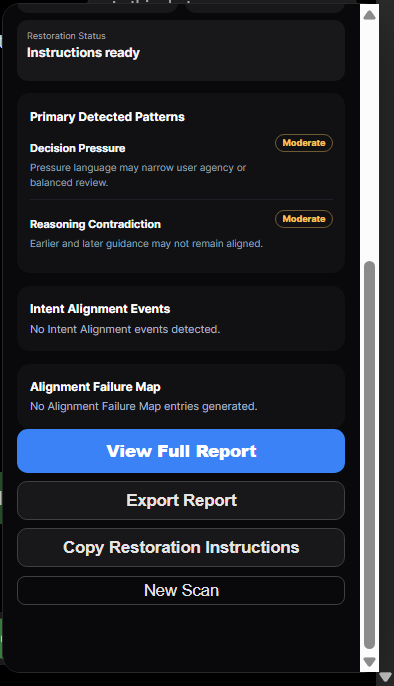
More Memory.
CAFScansAI independently acquires and reasons across more of the supported conversation history.
CAFScansAI for Chrome
Your AI can lose instructions, change direction, forget earlier decisions, or answer a different question while still sounding right.
CAFScansAI reviews the conversation you copy and paste, checks whether the AI still reflects what you established, and gives you Restoration Instructions when correction is required.
Keep the AI you already use. Get more from it.
CAFScansAI for Chrome reviews conversations you copy and paste.
01 — THE PROBLEM
AI responses can still sound useful while no longer reflecting the project history you established.
Forgotten instructions
Lost requirements
Changed objectives
Repeated mistakes
Wrong-question answers
Contradictions
Lost corrections
Abandoned decisions
02 — COPY & PASTE
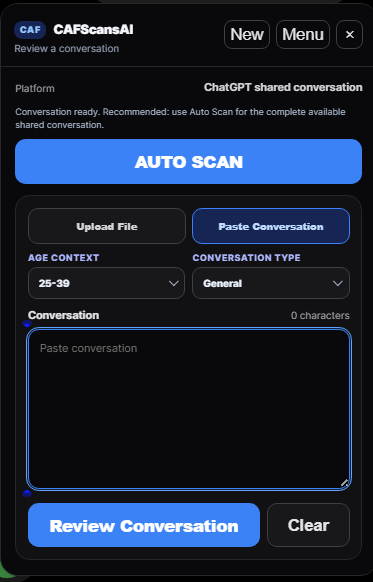
Copy the conversation from its ChatGPT Share link and let CAF review its continuity and alignment.
Open Share link
→Ctrl+A / Ctrl+C
→Ctrl+V into CAF
→CAF analyzes
→Restoration Instructions
→Continue
03 — THE VALUE
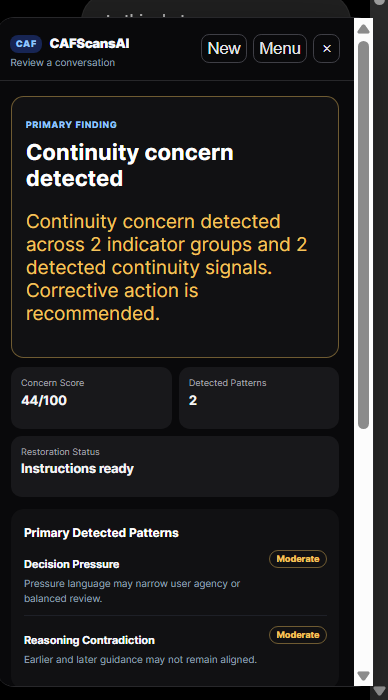
CAFScansAI independently acquires and reasons across more of the supported conversation history.
CAF applies a second reasoning process across the historical trajectory.
You independently verify the AI and decide whether to use Restoration Instructions.
04 — HOW IT WORKS
Use the AI you already use.
Open the ChatGPT Share link, press Ctrl+A, then Ctrl+C.
Paste the copied conversation into CAFScansAI with Ctrl+V.
CAF evaluates continuity and alignment across the conversation.
Identify what was forgotten, changed, contradicted, substituted, or restored.
Copy Restoration Instructions when correction is required.
Return to the AI and keep working.
05 — THE FRAMEWORK
CAFScansAI is powered by the proprietary Continuity Alignment Framework.
The acquisition capability gives CAF more evidence. CAF gives that evidence meaning.
Learn About CAF ↗Origin
Continuation
Deviation
Correction
Restoration
Current State
06 — THE PRODUCT
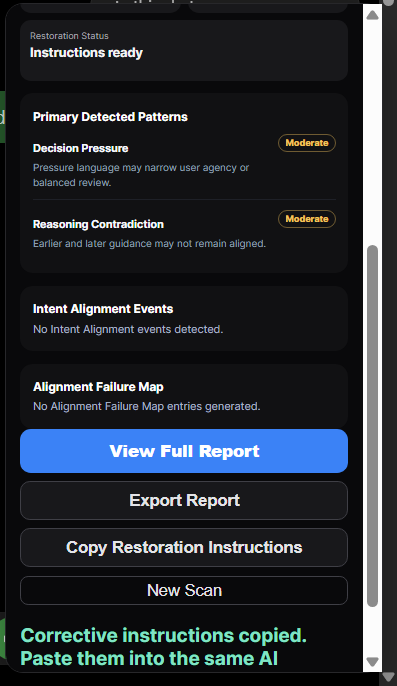
WEB WORKSPACE
Open the ChatGPT Share link, press Ctrl+A and Ctrl+C, then open the CAFScansAI Web workspace and paste with Ctrl+V. Existing customers can also upload supported files after signing in.
Sign In ↗08 — PRICING
Monthly and annual are billing choices for the same CAFScansAI PRO subscription.
CAFScansAI PRO
09 — TRUST & CONTROL
Analysis is user-initiated. CAFScansAI does not replace the AI you use and does not autonomously intervene in your conversations.
Restoration Instructions remain in your control. Analysis follows the product's transient processing direction, while account and billing controls remain on the Web.
CAFScansAI
More Memory. More Reasoning. More Control.
One Conversation. Complete CAF Analysis.
CAFScansAI for Chrome reviews conversations you copy and paste.